For Alberta Teachers
One place to collect, create, and teach your lessons
If your principal or curriculum lead sent you this link, they want your honest take. TeachNEW is a digital binder and planner for everything you use in the classroom: files you already have, new lessons you build with AI, and materials you share with colleagues.
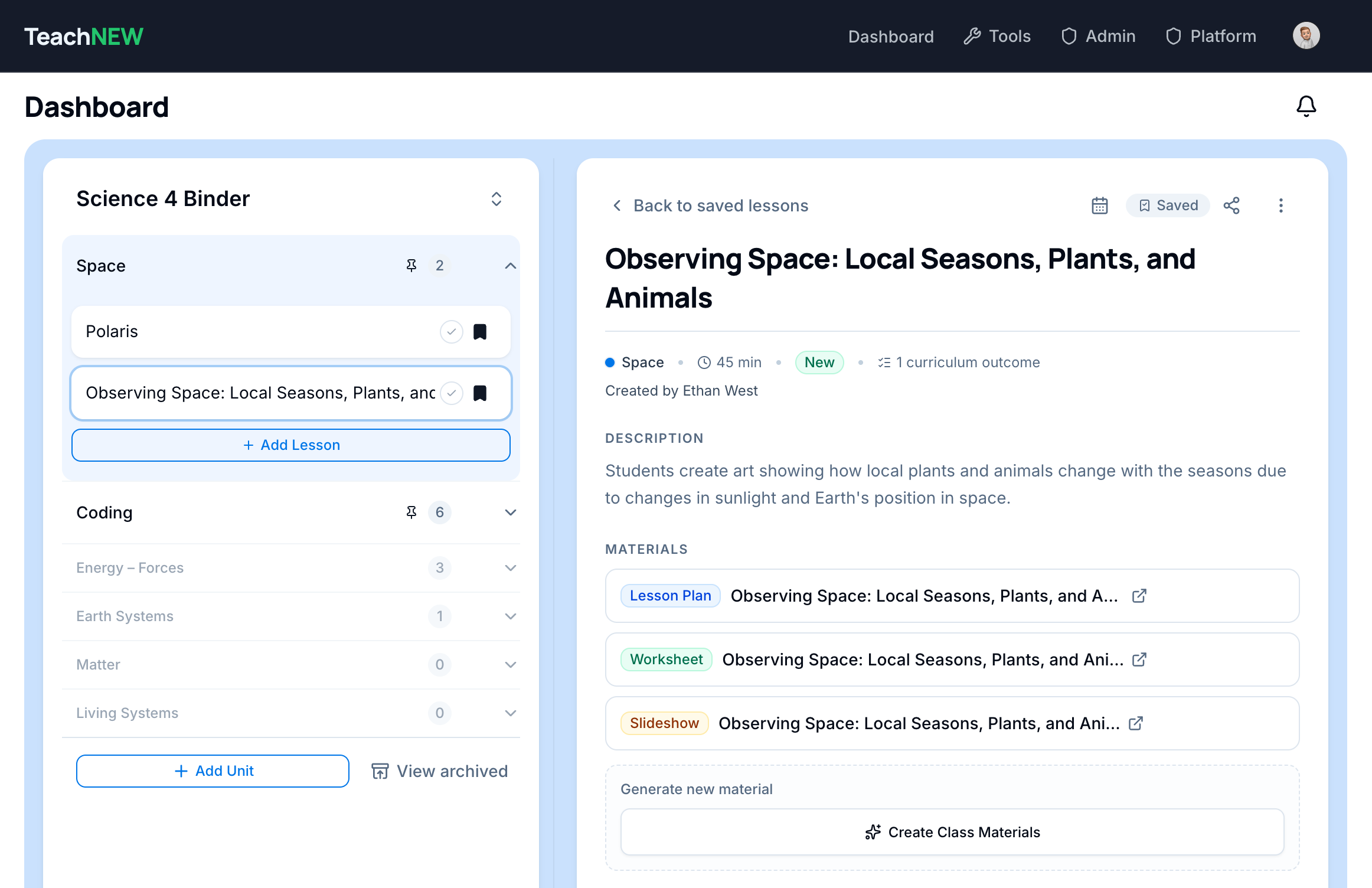
Your digital binder: units, lessons, and every linked plan, slideshow, and worksheet in one place
How It Works
Your materials, your schedule, one home
Stop hunting through Google Drive folders and Gemini chat histories. TeachNEW keeps what you collect, what you create, and what you teach in one place.
Collect and create in one digital binder
Add lesson files you already have from Google Drive, or build new lessons with AI. Each lesson can hold its plan, slideshow, and worksheets together, not scattered across folders and chat histories.
go.teachnew.appShare with colleagues in one click
Keep lessons in your binder for yourself, or share with your school teaching team, individual colleagues, or your whole division in one click. Colleagues get the full material kit without you emailing links or digging up old Drive folders.
go.teachnew.app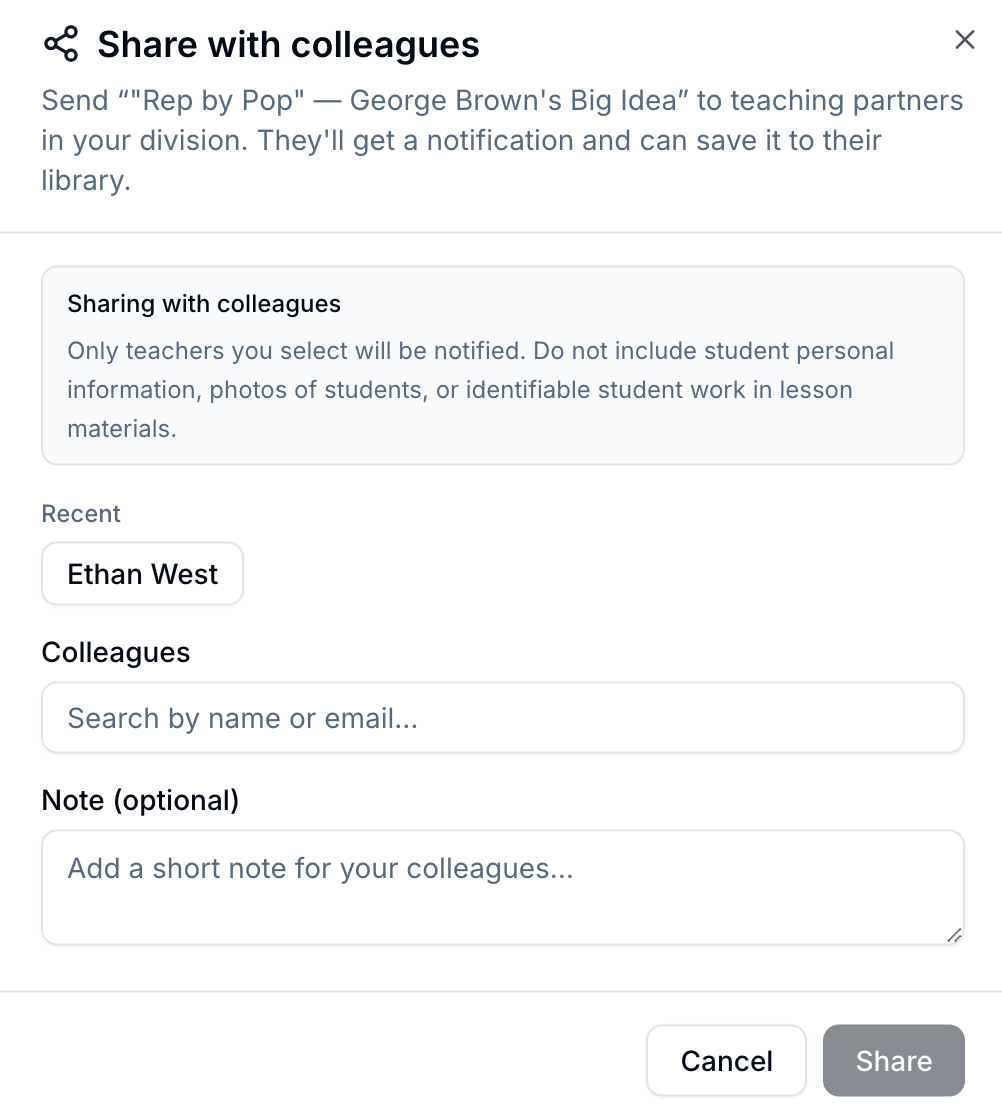
Drag lessons onto your real schedule
The digital planner mirrors your bell schedule. Drop the lessons you're teaching into specific periods, then click any lesson card on your schedule to open the plan, slideshow, and worksheets instantly.
go.teachnew.app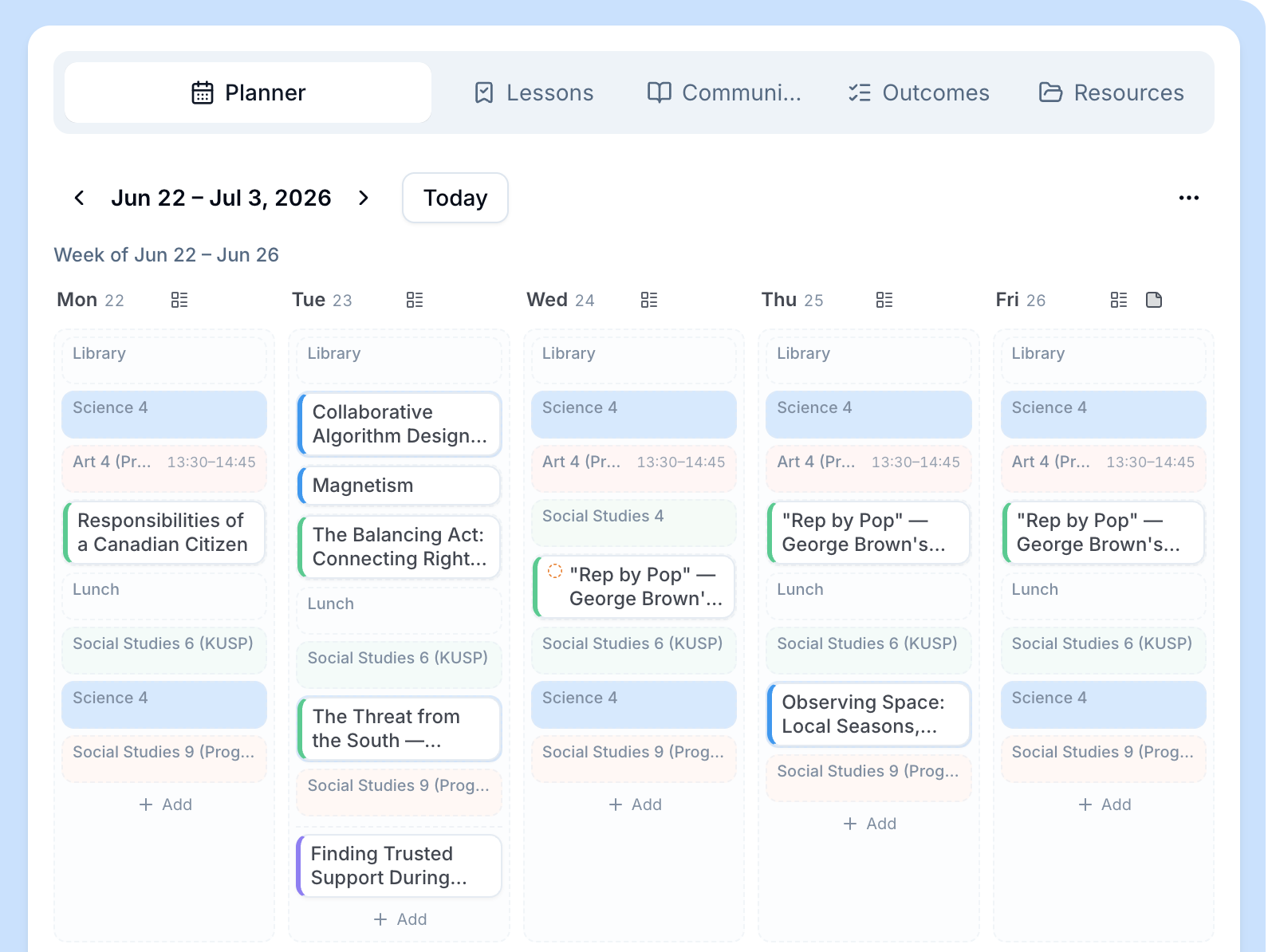
Build assessments from what you actually taught
Choose the lessons you taught or used, and AI develops assessments based on only that material, tied to what happened in your classroom, not a generic unit outline.
go.teachnew.app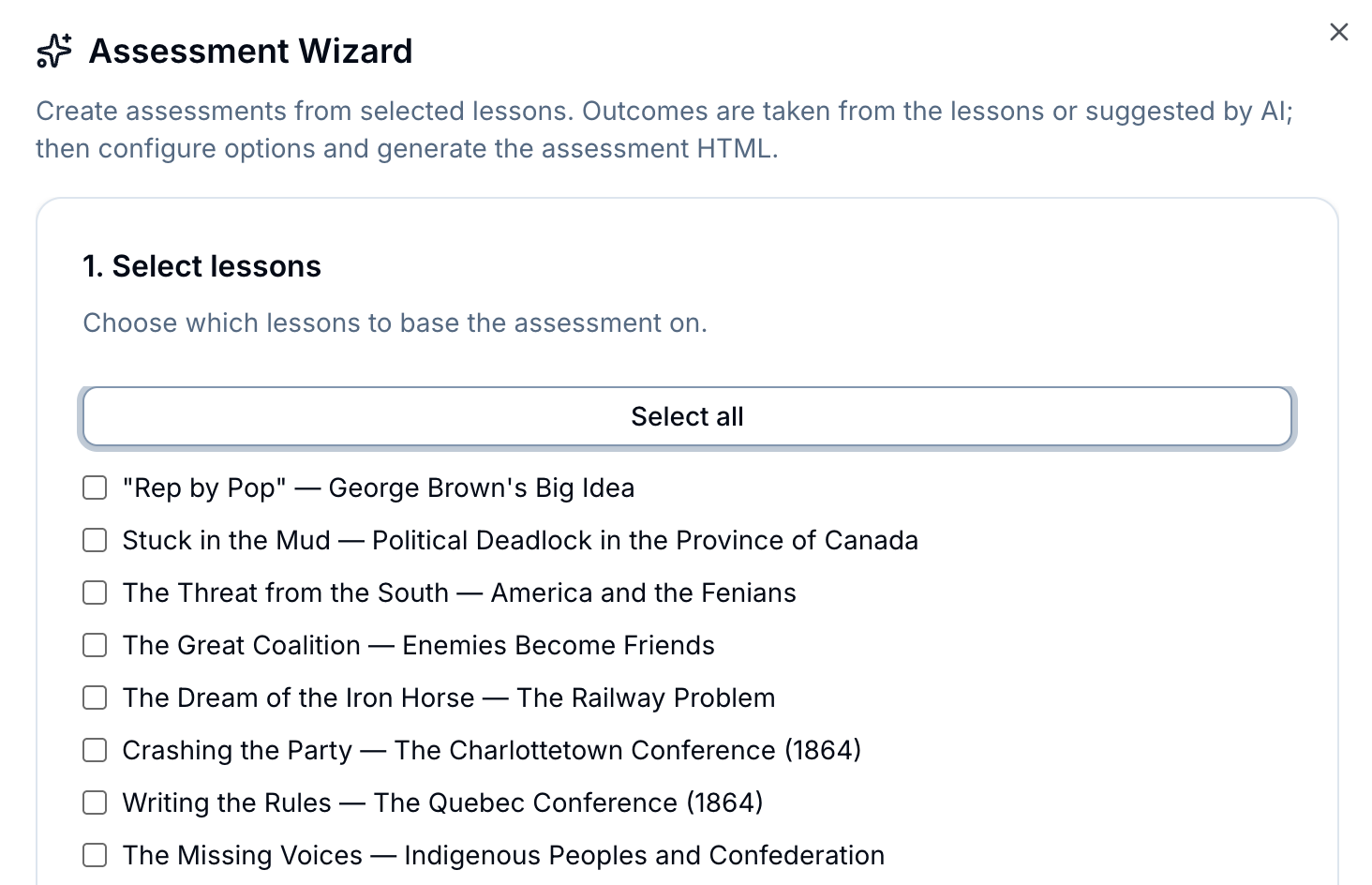
Print a whole unit in one batch
Collect every worksheet and handout for a unit and print them together. No more searching through Google Drive or Gemini histories to find materials you created or used last month.
go.teachnew.app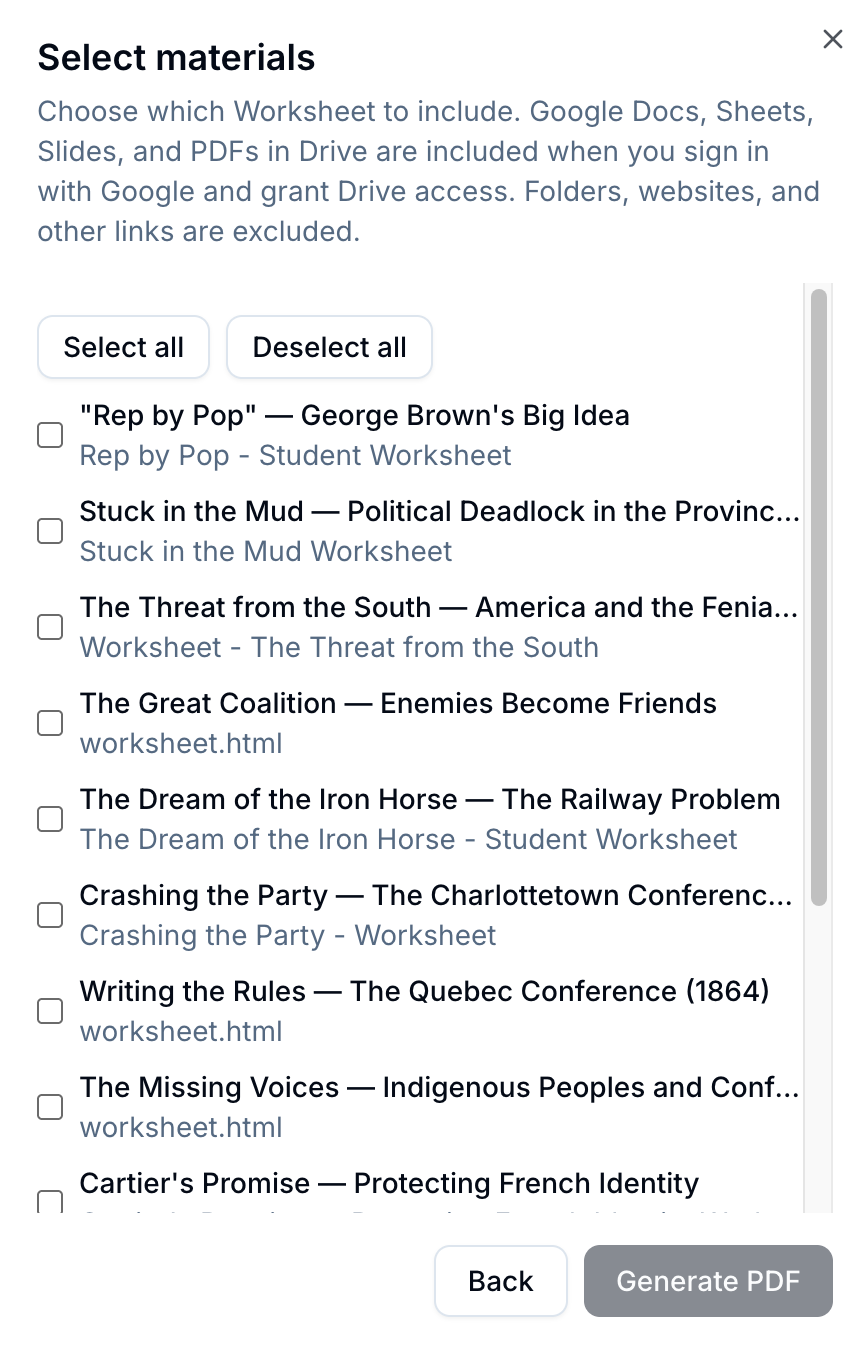
Sign in with Google. Same account you already use. No new password, no IT ticket, no training day.
What Stays the Same
Your Drive files don't move
TeachNEW is a layer on top of what you already use, not a replacement for Google Drive or Gemini.
- Your Google Drive stays exactly as it is. You link files in; nothing moves out
- You sign in with the Google account you already use
- Your lesson files remain yours to edit, keep private, or share when you choose
- No mass migration or new file system to learn
Division leader? Share this page with staff
Before a walkthrough or pilot, send teachers this link so they can see what TeachNEW looks like from their desk, without sitting through a sales call.
- Copy the link below
- Paste it into a staff email.
- Ask: “Does this look useful for your planning?”
https://www.teachnew.app/teachersYour division decides whether to move forward
If your school joins a pilot, your honest feedback shapes what gets built next. Questions? Talk to your admin or curriculum lead. They can book a walkthrough with the TeachNEW team.
See the full overview for your division